> ## Documentation Index
> Fetch the complete documentation index at: https://docs.pfbridge.xyz/llms.txt
> Use this file to discover all available pages before exploring further.
# Manage ads
> Fund, withdraw, update, pause, and close your liquidity
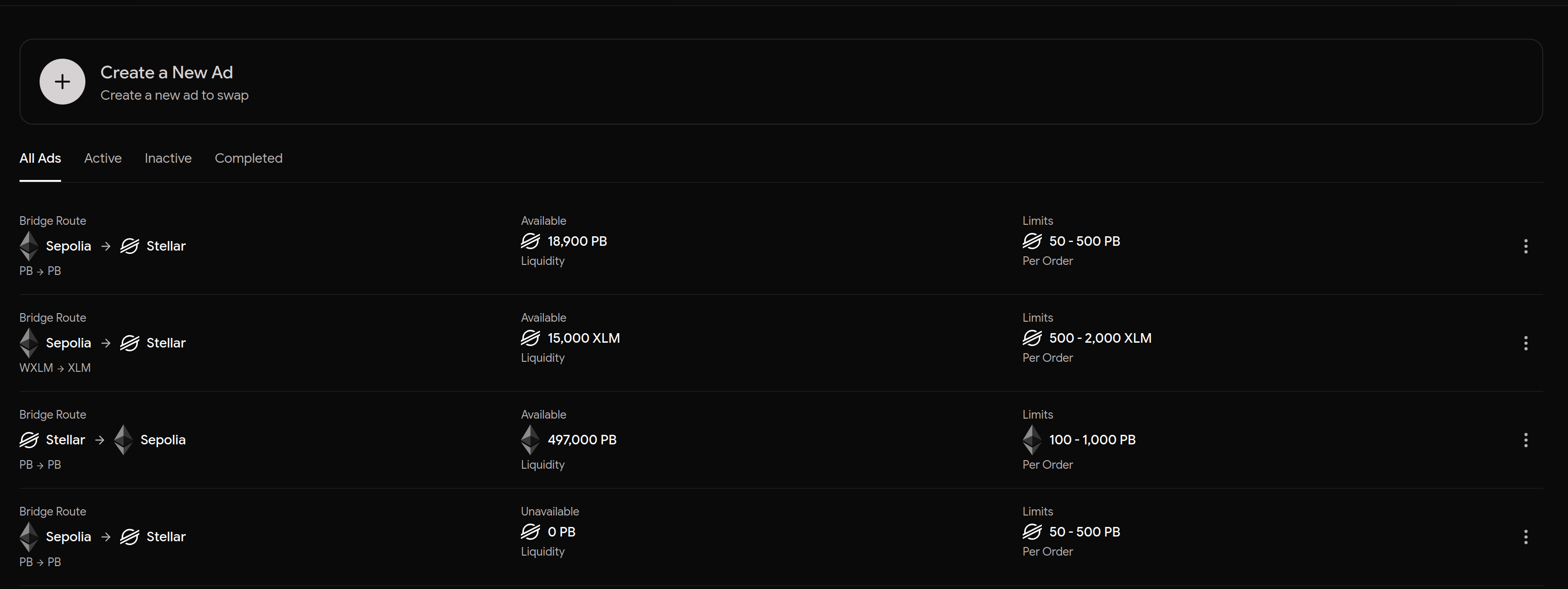
**My Ads** lists every ad you've created with its live pool, limits, and
status.
 ## Ad statuses
| Status | Meaning |
| ----------- | --------------------------------------- |
| `ACTIVE` | serving trades |
| `PAUSED` | visible but not accepting new orders |
| `EXHAUSTED` | pool too low for the ad's minimum trade |
| `CLOSED` | liquidity reclaimed — terminal |
## Actions
Every action follows the same pattern: the API returns transaction data,
your wallet submits it, and a confirm call verifies it landed on-chain.
* **Fund** — top up the pool (`fundAd`)
* **Withdraw** — pull unreserved liquidity out
* **Update** — change min/max limits or metadata
* **Close** — reclaim the remaining pool; open trades settle first
## Ad statuses
| Status | Meaning |
| ----------- | --------------------------------------- |
| `ACTIVE` | serving trades |
| `PAUSED` | visible but not accepting new orders |
| `EXHAUSTED` | pool too low for the ad's minimum trade |
| `CLOSED` | liquidity reclaimed — terminal |
## Actions
Every action follows the same pattern: the API returns transaction data,
your wallet submits it, and a confirm call verifies it landed on-chain.
* **Fund** — top up the pool (`fundAd`)
* **Withdraw** — pull unreserved liquidity out
* **Update** — change min/max limits or metadata
* **Close** — reclaim the remaining pool; open trades settle first
 **Available vs pool:** the amount a new trade can take is your on-chain
pool minus the holds of open trades. Reservations from orders that never
fund expire after \~30 minutes and release automatically.
**Available vs pool:** the amount a new trade can take is your on-chain
pool minus the holds of open trades. Reservations from orders that never
fund expire after \~30 minutes and release automatically.