> ## Documentation Index
> Fetch the complete documentation index at: https://docs.pfbridge.xyz/llms.txt
> Use this file to discover all available pages before exploring further.
# Bridge tokens
> The bridger flow, end to end
## Before you start
* Wallet connected for the chain you're bridging **from**
([Connect a wallet](/v2/guides/connect-wallet))
* That wallet's [settlement key](/v2/concepts/settlement-keys) registered —
the app blocks order creation until it is
* Test funds ([faucet](/v2/guides/faucet))
## 1. Pick a route and amount
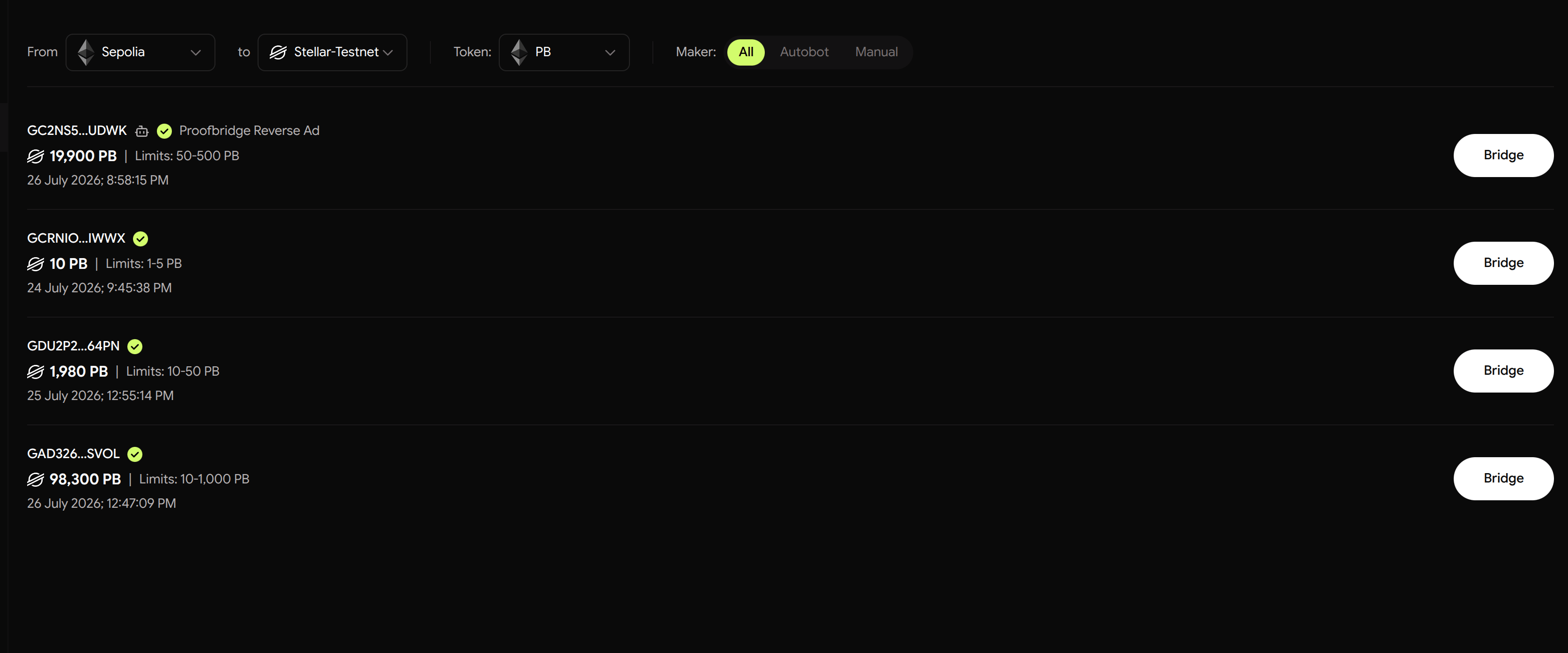
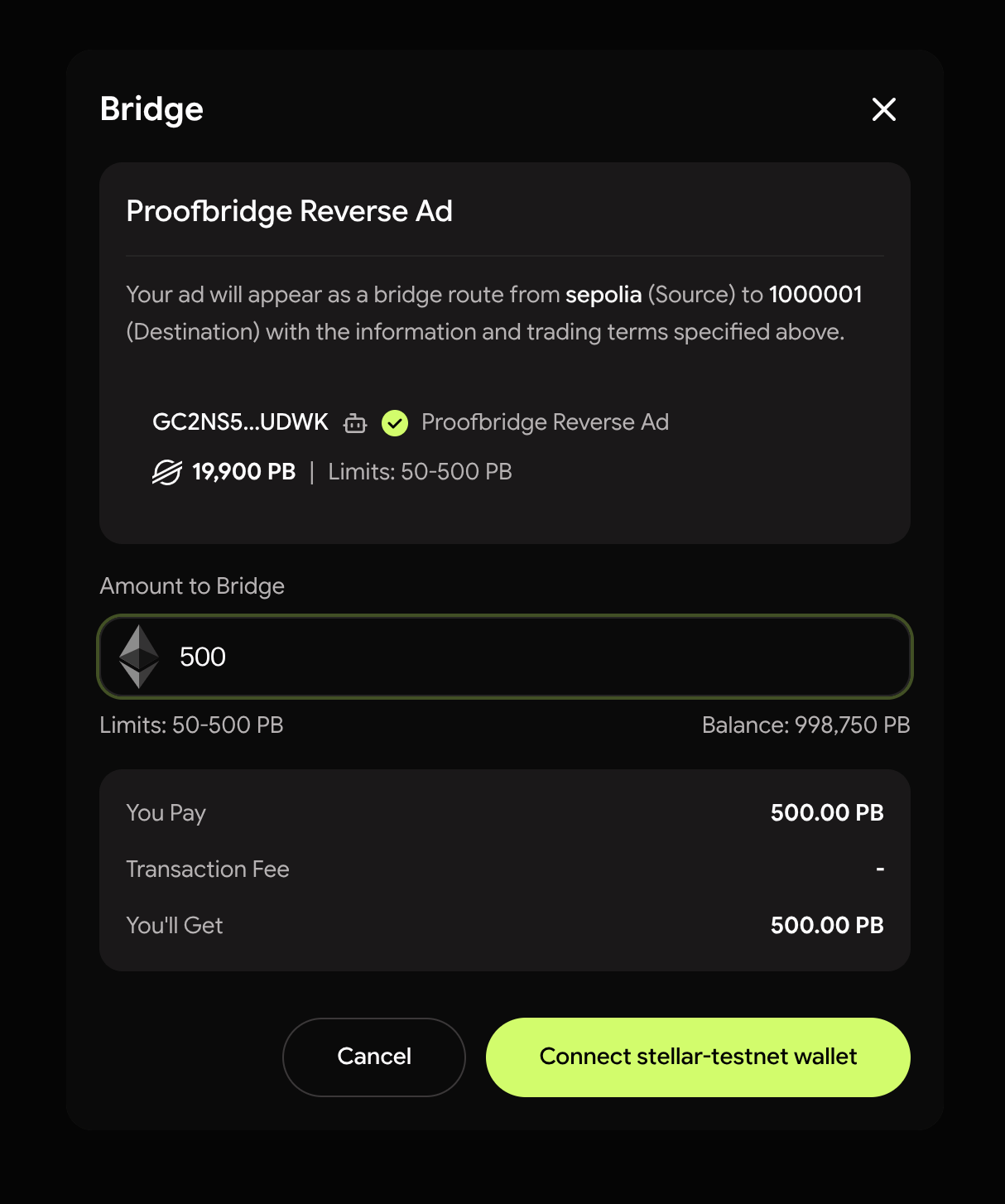
On the **Bridge** tab, choose source and destination, enter the amount,
and set the destination address (defaults to your linked wallet on the
other chain).
 ## 2. Create and fund the order
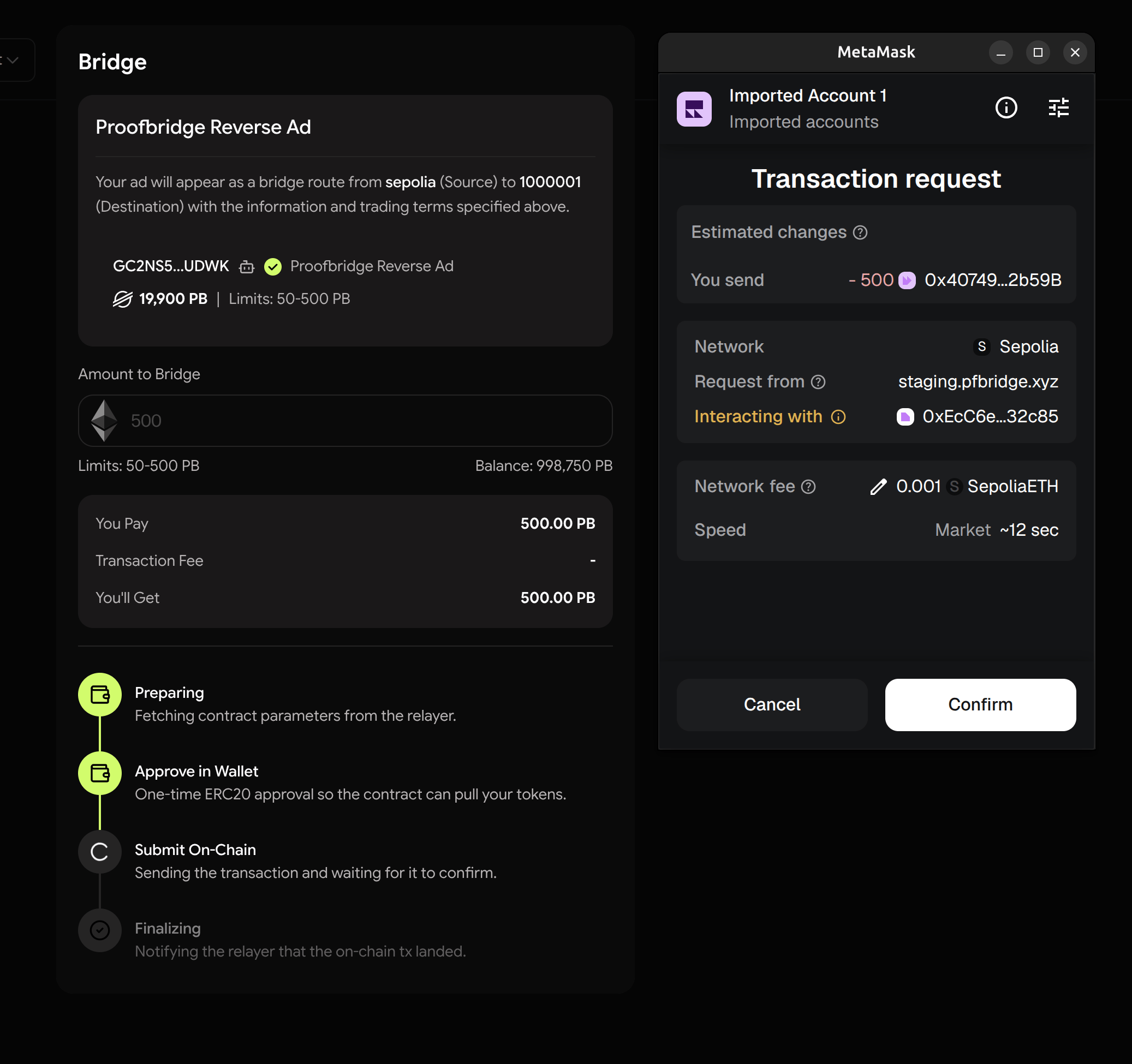
Confirm the deposit transaction in your wallet (ERC-20 routes ask for an
approval first, so expect two prompts). Your tokens go into the
OrderPortal — the escrow contract on your chain — where they stay locked
until the trade settles or you get them back.
## 2. Create and fund the order
Confirm the deposit transaction in your wallet (ERC-20 routes ask for an
approval first, so expect two prompts). Your tokens go into the
OrderPortal — the escrow contract on your chain — where they stay locked
until the trade settles or you get them back.
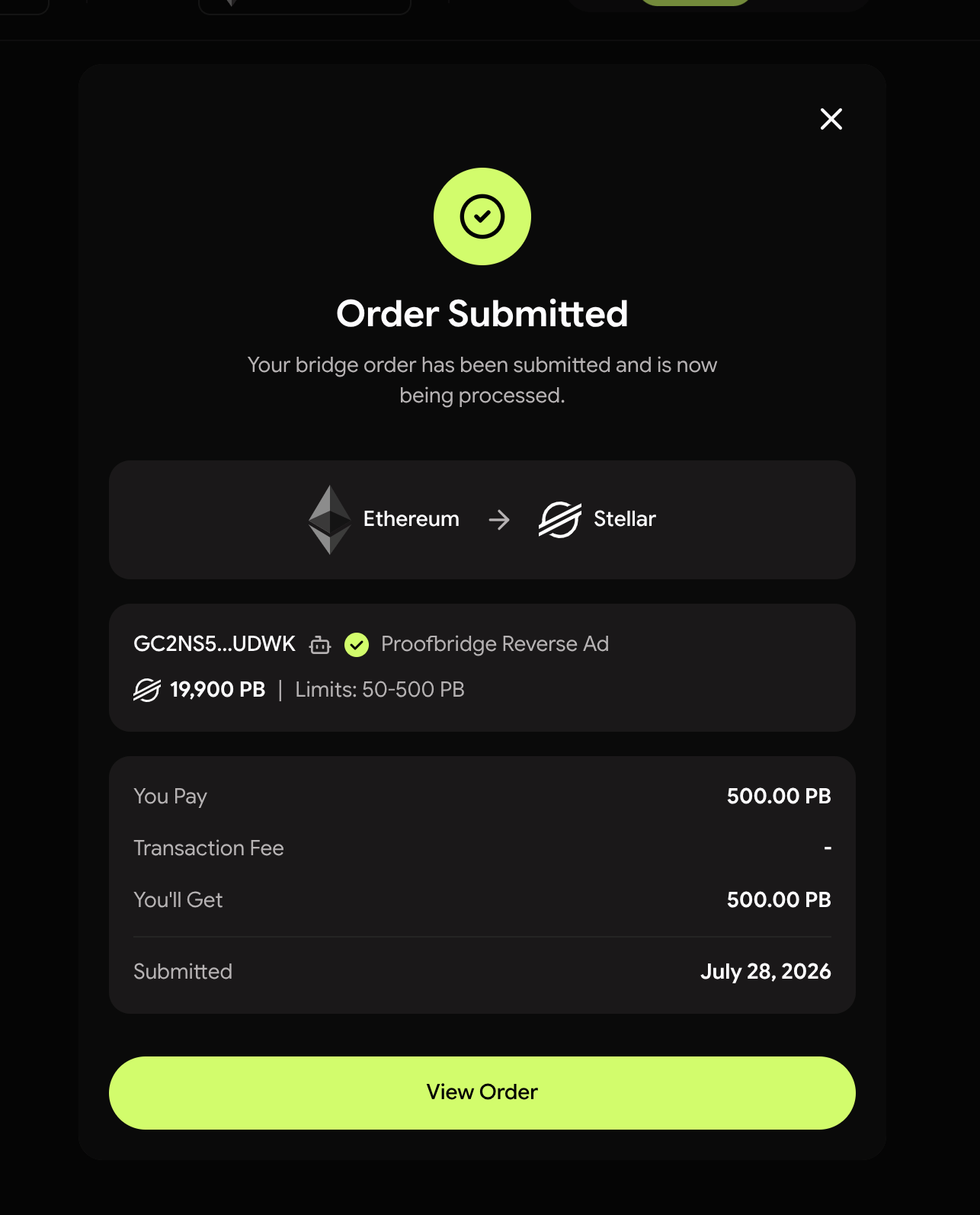 Closed the popup by mistake? The order waits on the
[Orders page](/v2/guides/track-orders) — **Complete Order** re-serves the
same transaction without reserving more liquidity. Unfunded orders expire
after \~30 minutes.
## 3. The maker locks
Once your deposit confirms, the maker locks the matching funds on the
other chain (makers running the market-maker bot lock automatically). The
trade shows **Locked**.
## 4. Co-sign
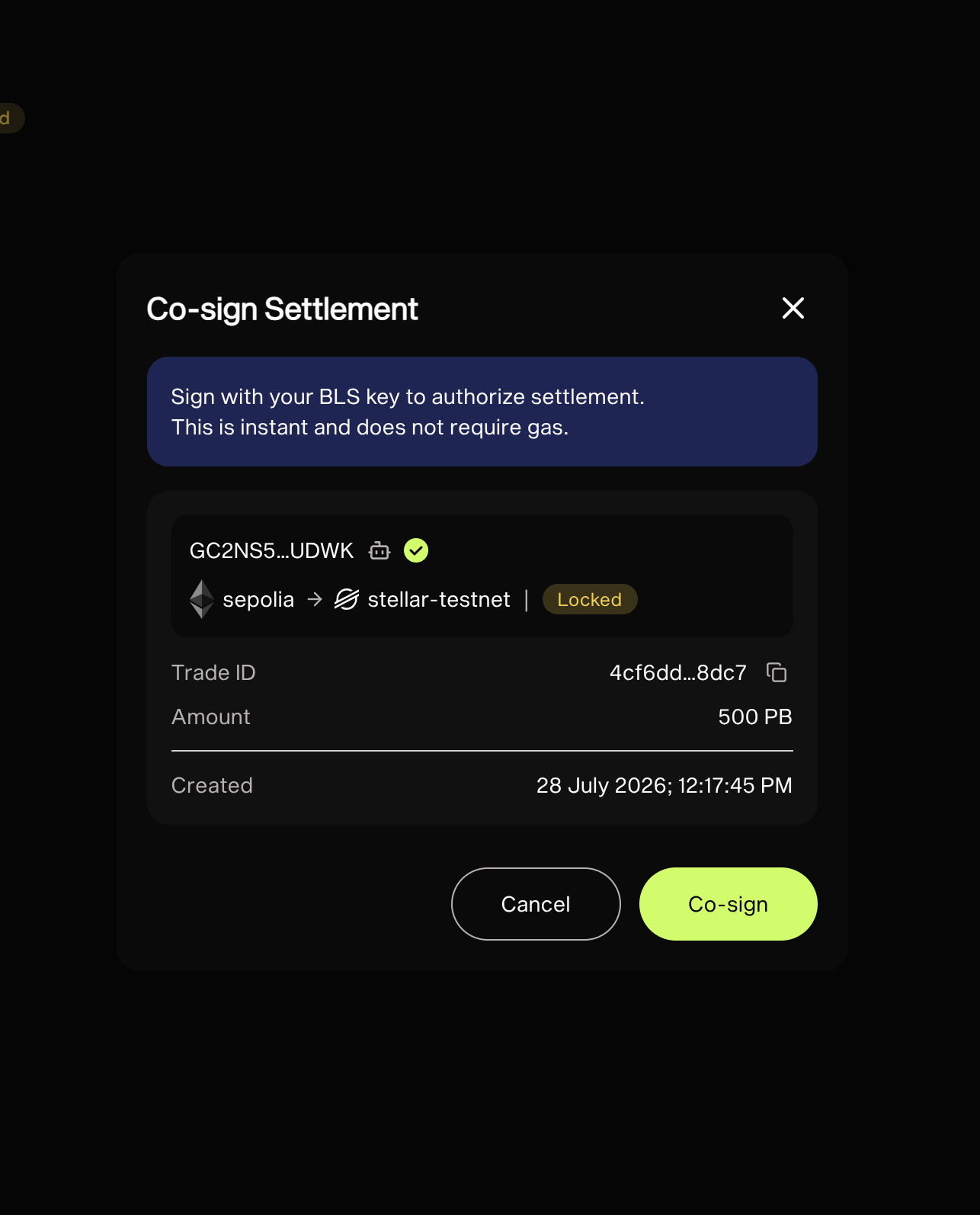
When both deposits are **settlement-grade** — confirmed deeply enough to
settle against, usually under a minute — the **Co-sign** button lights up.
One wallet signature unlocks your settlement key; the key signs the trade
silently — no transaction, no gas.
Closed the popup by mistake? The order waits on the
[Orders page](/v2/guides/track-orders) — **Complete Order** re-serves the
same transaction without reserving more liquidity. Unfunded orders expire
after \~30 minutes.
## 3. The maker locks
Once your deposit confirms, the maker locks the matching funds on the
other chain (makers running the market-maker bot lock automatically). The
trade shows **Locked**.
## 4. Co-sign
When both deposits are **settlement-grade** — confirmed deeply enough to
settle against, usually under a minute — the **Co-sign** button lights up.
One wallet signature unlocks your settlement key; the key signs the trade
silently — no transaction, no gas.
 ## 5. Done — the rest is automatic
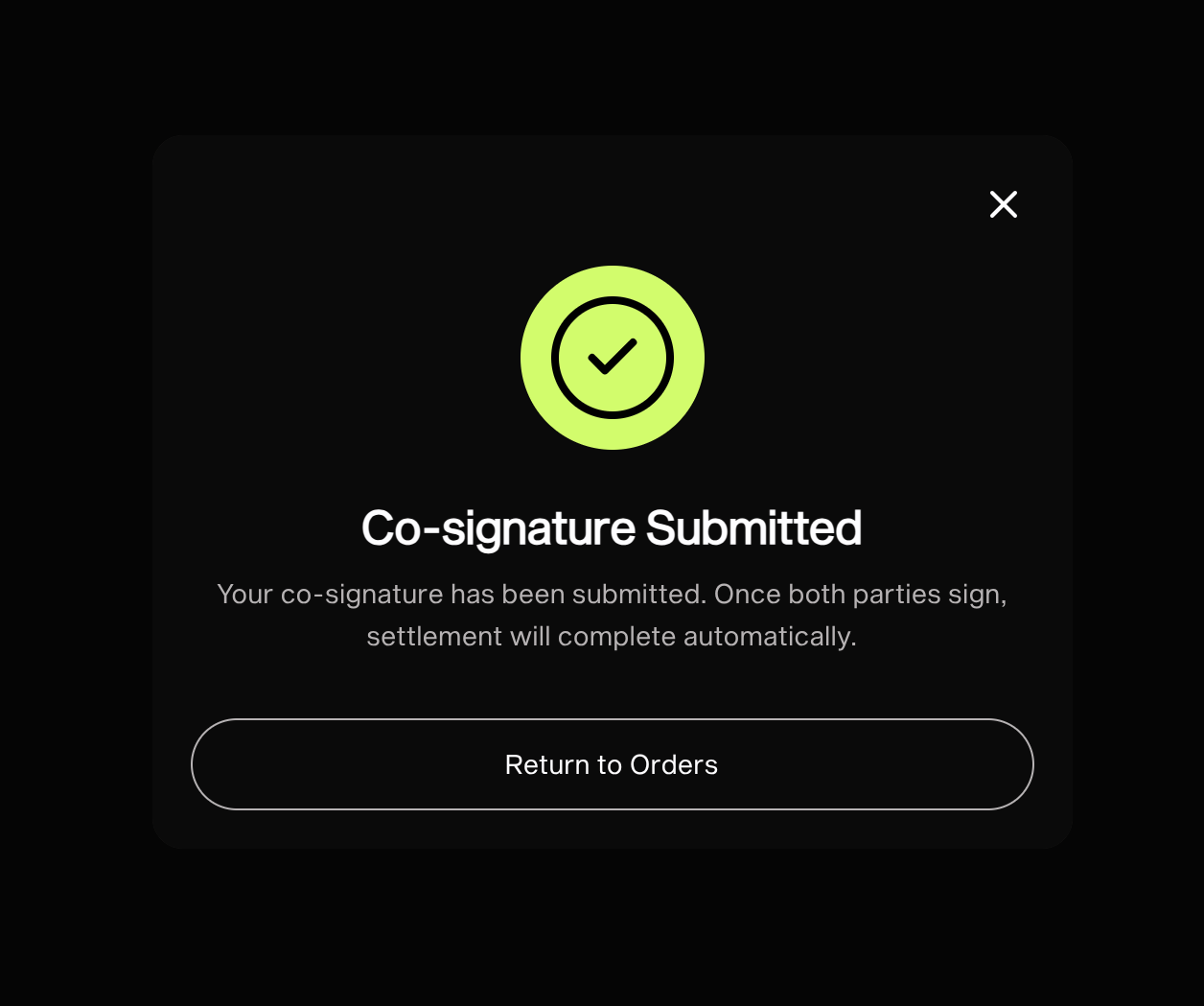
Background workers aggregate the two signatures, generate the deposit
proofs, and submit the unlocks on both chains:
```
Signed (2/2) → Aggregated → Settling → Filled
```
## 5. Done — the rest is automatic
Background workers aggregate the two signatures, generate the deposit
proofs, and submit the unlocks on both chains:
```
Signed (2/2) → Aggregated → Settling → Filled
```
 Your bridged tokens arrive at the destination address. The trade page
links both unlock transactions.
Your bridged tokens arrive at the destination address. The trade page
links both unlock transactions.